Furrion Vision S+ Review: Worth It? (November 2026)
The Furrion Vision S+ is worth buying for most RV owners because the 4.3-inch wireless monitor, rear sharkfin camera and motion-wake display cover reversing and parked security in one kit. Pick a 7-inch system instead if you want a larger picture or built-in recording.
On this page (7 sections)
The Furrion Vision S+ is the kit to buy for most RV owners who want reversing help and a simple parked-security camera in one box. The 4.3-inch wireless monitor, rear sharkfin camera and motion-wake display cover the everyday jobs without adding a large screen to the dash.
This Furrion Vision S+ review walks through the specs, setup and care so you can decide whether the small screen is enough or whether a bigger 7-inch system fits your rig better.
The kit is sold as the Furrion Vision S 4.3 Inch Monitor with one rear camera. Furrion uses the S label across the monitor, camera and antenna, so the "S+" wording in listings refers to this same family.
Furrion Vision S+ at a glance
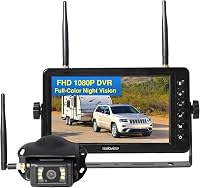
The Vision S kit pairs a 4.3-inch LCD monitor with a wireless rear camera in one package. The camera includes infrared night vision, a 120-degree field of view and a waterproof housing, and the monitor adds parking marker lines and a motion-sensor wake feature.
Furrion Vision S 4.3 Inch Monitor: Best for most RVs

- 4.3-inch LCD monitor
- Wireless 2.4 GHz link
- Rear sharkfin camera with IR night vision
- Motion-sensor auto-wake
- Built-in microphone
A compact, complete wireless kit for reversing and parked security. The small screen keeps the dash clear, and the motion-wake feature is the standout extra.
Pros
- Camera and monitor ship together
- Motion sensors wake the display when parked
- Microphone carries audio for guidance
- Infrared night vision for low light
- Waterproof camera for outdoor mounting
Cons
- 4.3-inch screen is small for detail
- Single camera in the box
- Antenna is removable, so it can be lost
Furrion also includes the windshield mount, power cable, screws and zip ties in the box. That means a typical install needs no extra mounting hardware, just a power source and a place to fix the camera.
The kit's manufacturer part number is FOS43TASF, and the model number is 729125, so those are the strings to check when you compare listings or order a replacement part. The monitor uses a 2.4 GHz digital wireless connection and LCD display technology.
A 720-pixel effective still resolution and a 1/3 inch CMOS infrared sensor sit behind the wide-angle lens. The kit is sold as one count and weighs 1.2 pounds in total.
A built-in microphone sends audio to the monitor, so audio travels with the picture. Furrion lists the kit's typical uses as RV, semi-trailer, box truck, shuttle bus, commuter bus and tractor, and it also works as a surveillance camera for a home or office.
That breadth matters if you want one system that moves between a tow vehicle and a parked rig. The single count package means you get one monitor and one camera in the box, so plan extra cameras separately if you need them.
The windshield mount and power cable are the two parts you handle most, so check them first when you open the box.
Who the Furrion Vision S+ suits
Buy it if you drive a motorhome, camper or fifth wheel and want a clear rear view without running video cable through the walls. The wireless link means the camera and monitor only need power, which keeps the install simple on an RV that isn't pre-wired.
It also suits owners who leave the rig parked for stretches. The motion sensors wake the display when something moves nearby, so the same camera doubles as a basic security monitor.
The built-in microphone carries audio for parking guidance when someone is behind the RV.
Skip it if you want one large screen that also records. The 4.3-inch display is compact, and this kit doesn't save footage to a card.
A 7-inch system with DVR is the better fit for that job, and the ZEROXCLUB option below covers it.
The specs that matter in daily use
The screen size and field of view set how much you see at a glance while reversing. A 4.3-inch monitor is small enough to sit on the dash without blocking the windshield, and the 120-degree camera view covers the lane behind the RV.
The 2.4 GHz digital wireless link carries the picture from camera to monitor. That frequency is the common band for RV cameras, and Furrion uses it to keep the signal stable without a video cable.
The camera's CMOS infrared sensor handles low light, so the view holds up at dusk and in a dark campsite.
The motion-sensor auto-wake is the feature that separates this kit from a plain backup camera. When parked, movement near the camera wakes the monitor instead of leaving you to switch it on.
The built-in microphone sends audio to the monitor, which helps when a spotter guides you into a tight site. Furrion describes the monitor as a security camera auto-wake display, so the parked mode is a designed part of the kit rather than an afterthought.
The monitor's compact size also matters when you tow: it stows in a console or glove box when you don't need it. The camera's waterproof housing lets it stay mounted outdoors through rain.
The kit ships with one rear camera, and Furrion sells extra Vision S cameras for side or doorway views if you want more coverage later. The rear sharkfin camera comes with a removable antenna, which is the part to watch over time.
How to set up the Vision S kit
Mount the camera first, then pair the monitor so you can confirm the signal before tidying cables. Fix the sharkfin camera at the rear of the RV using the supplied screws and zip ties, then run its power lead to a circuit that switches on with the running lights.
Wire to the running lights rather than only the reverse light if you want the camera live during travel. That way the monitor shows the rear view while you drive, not just when you back up.
Keep the power connection dry and protected from road spray.
Set the monitor on the windshield mount within easy reach of the driver. Plug in the power cable, then let the camera and monitor pair.
The screen should show the rear view within a few seconds, and the parking marker lines appear over the picture to help judge distance.
Test the setup in daylight and after dark. Walk behind the RV to check the field of view and the microphone pickup, then reverse slowly into a clear space to see how the marker lines line up with the bumper.
The camera's antenna should be screwed on before this test, because a loose antenna is enough to break the pair. Screw it down by hand until it seats, then check it again after the first drive.
Zip ties are in the box for a reason: they hold the cable clear of moving parts and sharp edges at the rear of the rig.
Owners of a fifth wheel can find more mounting advice in our guide to choosing a backup camera for a fifth wheel. For a camper trailer, the best backup cameras for campers and camper trailers covers wiring and placement in more detail.
Care and everyday use
Keep the camera lens and the antenna clean and tight, and the kit will keep working through normal RV travel. Road film blurs the picture, so wipe the lens before each trip and after rain or dust.
The antenna screws onto the camera and can loosen over time or be lost when the camera is removed. Check it before you leave a campsite.
A spare is cheap insurance, and the Furrion replacement antenna below fits the Vision S camera directly.
Store the monitor out of direct sun when parked for long periods. Heat is hard on any dash screen, and a shaded spot or a quick stow in the console keeps it cooler.
Wipe the screen with a soft cloth rather than a harsh cleaner. The monitor's compact size makes it easy to take inside when you leave the rig unattended, which also keeps it out of sight.
Check the monitor's power lead as part of your pre-trip routine. A dead monitor is the most common reason a working camera looks broken.
If the picture drops out, confirm both units have power and that the antenna is seated before assuming a fault. The monitor's LCD panel is the part most exposed to heat and sun, so give it shade when you can.
Check the windshield mount's grip each season, since adhesive pads and suction cups age with heat and cold.
For motorhome owners, the best backup cameras for motorhomes and Class A RVs covers longer cable runs and dash placement. Our Furrion Vision S camera system reviews page compares the monitor and camera options in the range.
The trade-offs of the Furrion Vision S+
The small screen is the main compromise, and it's a real one. A 4.3-inch display shows enough to judge the lane behind you and spot a person or post, but fine detail like a low bollard or a curb edge is harder to read than on a 7-inch screen.
The screen size also limits how much of the frame you can study at once when you're lining up a hitch or backing into a tight pad.
The kit ships with one camera. Furrion sells extras, but if you want side or doorway coverage on day one, you'll pay for a second camera and plan the mounting.
A multi-camera system in the box avoids that step. The monitor supports more than one feed, but confirm the channel count before you buy extra cameras so you aren't planning around a feature the unit doesn't have.
The kit shows the live picture and the motion sensors wake it, but nothing is saved to a card.
If you want footage of an incident or a record of a campsite, choose a DVR system.
The wireless link depends on the antenna. A missing or loose antenna drops the signal, and the camera's removable design means it can come off in transit.
Check it each trip, or keep a spare on hand. The 2.4 GHz band is also shared with plenty of other gear, so a crowded campground can be a busier wireless environment than a quiet driveway.
Alternatives to the Furrion Vision S+
The Vision S kit is the best fit for most RVs, but two alternatives cover needs it doesn't. Both are listed here with the reason to choose each one.
Furrion 2021123583 Antenna for Vision 1
This is the replacement antenna only. It fits the Vision 1, Vision 2 and Vision S camera systems and is a direct swap for the antenna in the box.
Pick it if you already own a Vision camera and want a backup part, or if your signal has dropped and the antenna looks damaged. It won't help anyone without a Furrion Vision system.
The black finish and 50 ohm impedance match the kit's antenna spec, so it behaves like the original part. Because it includes no camera or cable, it is a spare-part purchase rather than an upgrade.
ZEROXCLUB 1080P 7" DVR Monitor Wireless RV
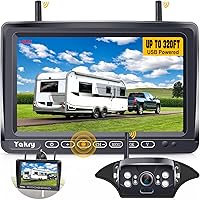
The ZEROXCLUB kit runs a 7-inch IPS monitor and a 1080p camera rated IP69k, with loop recording to an SD card. It fits Furrion pre-wired jacks, so it drops into many RV mounts without new wiring.
The camera's 120-degree view matches the Furrion figure on paper, and six infrared lights handle low light. The catch is compatibility: this system is not compatible with Furrion cameras, so it replaces the kit rather than adding to it.
On some GMC, Chevy, Ford and RAM trucks, PWM power can cause flicker or signal loss, and ZEROXCLUB recommends a Furrion 7-way adapter or a 12V PWM filter to clean the supply. A 2-year warranty covers the kit.
Note that the camera still needs a wired power connection even though the video link is wireless.
Verdict
Buy the Furrion Vision S+ if you want a compact, complete wireless camera kit for reversing and parked security. The 4.3-inch monitor, rear sharkfin camera, night vision and motion-wake display cover the everyday jobs without clutter on the dash.
The install needs only power, and the kit includes the mount and cables.
The single rear camera is enough for most drivers, and the motion-wake feature earns its place every time the rig sits parked.
Pick the ZEROXCLUB 7-inch system instead if screen size and recording matter more than the compact footprint. Keep the Furrion replacement antenna as a spare either way, since a loose antenna is the easiest way for a working camera to lose its signal.
For most RV owners, the Furrion kit is the simpler buy. Check the exact mounting and power setup on your rig before you order, then test the picture in daylight and after dark before your first trip.
The kit's part number and model number are worth keeping in your RV folder so you can order the right replacement parts later.
Our Furrion Vision S camera system reviews page goes deeper on the range if you're still deciding between models.
Frequently asked questions
Is the Furrion Vision S+ the same as the Vision S?
The Vision S+ name points to the same Vision S wireless observation kit sold with the 4.3-inch monitor and rear sharkfin camera. Furrion uses the S label across the monitor, camera and antenna, so match part numbers when you buy add-ons.
Does the Furrion Vision S+ camera work while driving?
Yes. The rear camera transmits wirelessly to the dash monitor, and the parking marker lines help with reversing.
Wire the camera to your running lights so it stays powered during travel, not only when reverse is engaged.
Can you add a second camera to the Furrion Vision S+?
The kit ships with one rear camera. Furrion sells additional Vision S cameras for side or doorway views, and the monitor supports more than one feed.
Check the monitor's channel count before buying extra cameras.
How far does the Furrion Vision S+ wireless signal reach?
The 2.4 GHz digital wireless link is designed to cover a typical RV and toad setup. Long trailers and thick walls can weaken the signal, so keep the antenna clear and pointed toward the monitor.
What do you do if the Furrion monitor will not pair with the camera?
Check that both units have power and that the removable antenna is screwed on tight. Turn both off, then on again and let them reconnect.
A damaged antenna is a common cause, and the Furrion replacement antenna fixes it.
Can the Furrion Vision S+ replace a factory backup camera?
It can when your RV has a Furrion pre-wired camera mount. The kit runs on its own wireless link and monitor, so it works alongside or instead of a factory system as long as the mount and power wiring match.