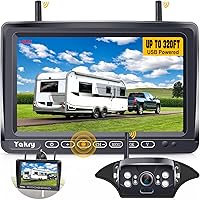
Furrion Vision S Camera System Review: Worth It? (November 2026)
The Furrion Vision S 4.3 Inch Monitor kit fits an RV that already has Furrion pre-wiring, and it gives you a rear camera with night vision and audio without running new cables. It's the simplest pick for a smaller camper; choose a bigger screen kit if you reverse a long trailer often.
On this page (8 sections)
- The Furrion Vision S 4.3 Inch Monitor at a glance
- Who should buy the Furrion Vision S kit
- The specs that matter in daily use
- Setting up the Furrion kit on your camper
- Keeping the camera and monitor working
- The trade-offs to know before you buy
- The alternatives here
- Verdict: is the Furrion Vision S kit worth it?
The Furrion Vision S 4.3 Inch Monitor kit is the right buy for most RV owners with Furrion pre-wiring, because it installs into the mounting points already on the camper and adds night vision, audio and a compact dashboard screen. It's the pick for a smaller trailer or a fifth wheel where a small monitor fits the dash without blocking your view.
The bigger trade-off is screen size. A 4.3 inch monitor compresses the rear view, so drivers who reverse long trailers often want the 7 inch ZEROXCLUB kit instead.
That's why this review weighs the Furrion kit's easy fit against the visibility you lose on a wide screen.
Our score weighs specs, features and buyer feedback against what you're shopping for. The Furrion kit takes the top spot because its pre-wired fit and night vision cover the most common RV camera job, while the antenna and the ZEROXCLUB kit serve narrower needs.
The Furrion Vision S 4.3 Inch Monitor at a glance
The Vision S kit pairs a 4.3 inch LCD monitor with one rear Sharkfin camera, connected over a 2.4 GHz wireless link. It runs from your RV's lighting circuit, so there's no video cable to pull from the back of the camper to the cab.
Furrion Vision S 4.3 Inch Monitor: Best for Furrion pre-wired RVs

- 4.3 inch LCD monitor
- Wireless 2.4 GHz link
- Rear Sharkfin camera with IR night vision
- Built-in microphone
- Motion sensor auto-wake
The compact Furrion kit most RV owners should start with. It pairs a small dashboard monitor with a rear camera that sees in the dark and sends audio to the cab.
Pros
- Fits Furrion pre-wired mounting points
- Night vision helps with evening parking
- Microphone carries parking guidance into the cab
- Motion sensor wakes the display when parked
Cons
- 4.3 inch screen is small for long trailers
- Single camera kit leaves blind spots down the sides
The kit arrives with the monitor, the rear and doorway camera with its removable antenna, a windshield mount, screws, zip ties and a power cable. Furrion lists a 120 degree field of view for the camera, so compare that angle with how much of the space behind the rig you want to see.
The monitor stores in a console or glove compartment when the trip ends. That matters on a camper where dashboard space is already tight and you don't want a screen in the sun all season.
Furrion sells the same system for more than RVs too. The description names semi-trailers, box trucks, shuttle buses, commuter buses and tractors, and even a home or office, because the camera is really a wireless observation camera with a small screen attached.
That breadth tells you the hardware isn't built around one vehicle type, and it's why the motion wake feature reads as a security aid as much as a driving one.
The whole thing weighs 1.2 pounds and the monitor measures 8.8 by 2.9 by 7.6 inches with the mount, so it's light enough to move between vehicles if you have more than one rig with a Furrion jack.
Who should buy the Furrion Vision S kit
Buy it if your RV already has Furrion pre-wired mounting locations, because the kit drops into the factory points and saves you a wiring job. That's the main reason it tops these Furrion Vision S camera system reviews for typical camper owners.
It also suits you if you mostly need a reversing aid and a view of the doorway when you park. The rear camera's night vision and the microphone's audio feed help when you back into a dark site or guide yourself into a tight spot.
Skip it if you drive a long trailer or tow a car behind a motorhome. The small screen makes the rear view harder to read quickly, and one camera leaves the sides uncovered.
A multi-camera kit with a bigger monitor handles that job better.
Skip it too if you want a recording trail from your trips. The Furrion kit shows a live picture but doesn't write video to a card, so the ZEROXCLUB kit below is the one to look at for that.
There's a third group it fits well: owners of a second vehicle that came with Furrion hardware. Because the camera and monitor talk wirelessly, the same kit can serve a box truck or a tractor at home once the camera has 12V at the lighting circuit.
You move the monitor, not the wiring.
The specs that matter in daily use
The screen size is the first spec to weigh, and 4.3 inches is compact. It's easy to place on the dash and easy to store, but the rear view is more compressed than on a 7 inch monitor.
The camera's night vision uses an infrared CMOS sensor. When light drops at a campsite or a rest stop, the camera switches over and still sends a picture, which is where a small kit earns its place on evening arrivals.
The built-in microphone carries audio into the cab. That gives you a voice cue when someone outside guides you back, without shouting through a window.
The monitor's motion sensor wakes the display automatically when parked. Furrion says the system can double as a security aid, so the screen comes on when something moves near the camera rather than staying dark.
Power is the spec that catches people out. The kit is wireless for video only, and both the camera and monitor need 12V.
The Vision S kit uses your RV's lighting circuit, so the running or reverse lights must be on for the camera to have power.
The optical sensor is a 1/3 inch CMOS unit with a wide angle lens. That combination is what produces the wide, slightly curved view at the edges, which is normal for a backup camera and something you adjust to after a trip or two.
Setting up the Furrion kit on your camper
Installation starts with the existing Furrion mount, so the first job is checking what your RV already has. If the mounting point and wiring are there, the camera bolts on and you connect power at the jack.
Mount the monitor where you can see it without turning your head far from the road. The windshield mount holds it on the glass, so test the position before you stick it down and check it doesn't block your view.
Pair the monitor to the camera, then walk behind the RV and check the picture and the marker lines. Furrion builds in rear parking assistance lines, so line them up with a known distance behind the bumper.
Test the camera with the lights it's wired to switched on. If you've tied it to the running lights, they need to be on for the camera to work, which is the step most people miss on the first test.
If the signal drops, check the antenna first. A loose or damaged antenna is a common cause of a weak link, and the replacement part fits the Vision 1, 2 and S cameras.
Our Haloview vs AUTO-VOX RV camera comparison shows how rival kits handle the same pre-wired mounting.
Aiming the camera and checking the marker lines
Set the camera angle before you tighten the last screws. Point the lens so the horizon sits near the top of the frame and the area right behind the bumper fills the bottom, which is where a reversing aid earns its keep.
Then check the parking lines against something you know. Back toward a marked spot or a painted line and see where the guides land, because the lines are fixed on the screen and only make sense once the camera angle is right.
Keeping the camera and monitor working
Routine care is mostly about the lens, the antenna and the power connection. Wipe the camera lens with a soft cloth when the picture goes hazy, and clear road spray from the housing after wet drives.
Check the antenna is screwed down tight before each trip. A loose antenna costs you range, and the Vision S rear camera ships with a removable antenna that can work loose over a season of towing.
Look at the monitor's power cable and the mount when you pack up. A windshield mount that's left in the sun all summer can lose its grip, so take the monitor down when you store the camper.
Test the motion wake before you rely on it as a parked security aid. Walk past the camera in low light and confirm the screen comes on, then check the audio still reaches the cab.
Keep the camera housing clear of mud and ice in winter. A packed layer of slush over the lens defeats any camera.
The trade-offs to know before you buy
The small 4.3 inch screen is the main compromise, and it's the reason some owners move up to a 7 inch kit. The rear view is fine for a short trailer and for checking the doorway, but on a long rig the picture is harder to read in a quick glance.
One camera in the box is the second limit. The kit covers the rear and the doorway, but the sides of a big rig stay blind until you add more cameras.
That's an extra cost and another mounting job on each side.
Screen size and camera count are where the ZEROXCLUB kit pulls ahead. Its 7 inch IPS screen shows up to four cameras and it records to an SD card, so it covers more of the rig and leaves you a video trail.
The Furrion kit's strength is fit. If your RV already has the Furrion mounting points, this kit is the shortest path to a working camera.
If it doesn't, you'll wire a camera either way, and the bigger kit starts to look like better value.
The alternatives here
Each of these covers a job the Furrion kit doesn't do as well. Pick the one that matches your rig and what you want from the camera.
Furrion 2021123583 Antenna for Vision 1, Vision 2 and Vision S
This is the part to buy when your Vision camera still works but the picture keeps dropping. It fits all three Vision lines and it's a 50 ohm antenna in black.
Buy it as a spare before a trip, since a loose antenna is a cheap thing to fix at home and an annoying one to fix at a campsite.
The antenna has a single channel. It carries Furrion part number C-FOS07TAPK-005, so match that number to your camera to get the right screw thread on the mount.
ZEROXCLUB 1080P 7" DVR Monitor Wireless RV
This is the pick when you want a bigger picture and a recording trail. The IP69k camera handles heavy rain and snow, the dual antenna pushes the wireless link out to about 100 feet, and the 7 inch screen shows up to four cameras at once.
It carries a 2 year warranty. It also isn't compatible with Furrion cameras, so buy it as a complete kit rather than mixing parts.
One thing to plan for on some trucks. ZEROXCLUB warns that GMC, Chevy, Ford and RAM vehicles using PWM power can cause a flickering picture, signal loss or a frozen screen, and it suggests a Furrion 7-way adapter or a 12V PWM filter, neither of which is included.
If you tow with one of those trucks, budget for the filter or test with a clean 12V supply first.
Verdict: is the Furrion Vision S kit worth it?
Yes, buy the Furrion Vision S 4.3 Inch Monitor kit if your RV already has Furrion pre-wiring and you want a simple rear and doorway camera. It installs into the factory points, sees in the dark, carries audio into the cab and wakes on motion when you're parked.
That mix covers the everyday camera job on a typical camper with no wiring surprises.
Buy the Furrion antenna instead if your only problem is a weak signal on an existing Vision camera. Buy the ZEROXCLUB kit if you reverse a long trailer, want more than one camera or need recorded video.
And if you're still weighing camera systems for a camper, our best backup camera for camper guide covers the wider field.
Two more reads help before you settle: the Yakry wireless backup camera review for a budget option, and Haloview BT7 vs Furrion if you're comparing the two brands head to head. Pick the Furrion kit for the easiest fit on a pre-wired RV; pick a bigger kit when screen size and coverage matter more than a drop-in install.
Frequently asked questions
Does the Furrion Vision S work on an RV without pre-wiring?
Yes, but the camera still needs 12V power. The wireless part only covers the video signal, so plan a route to the running or reverse lights and see what your RV already has before ordering.
How clear is the picture on a 4.3 inch monitor?
The screen is sharp enough for reversing and lane checks at low speed. It's smaller than a 7 inch monitor, so the rear view is more compressed and harder to read at a glance on a long trailer.
Can I add more cameras to the Furrion Vision S kit?
The kit arrives with one rear camera. Furrion makes doorway and side cameras in the same Vision S line, so you can build coverage over time, but each extra camera needs its own mounting spot and power.
Do I need the Furrion antenna as a spare?
Only if you have a Vision camera that keeps dropping its signal. A replacement antenna is a quick first test, since a loose or damaged antenna is a common cause of a weak wireless link.
Is the ZEROXCLUB kit a direct Furrion replacement?
No. It connects to Furrion pre-wired jacks, but it uses its own monitor and camera and won't talk to Furrion cameras.
Buy it as a full kit rather than mixing parts.