AHD vs CVBS Backup Cameras: Which Signal Is Clearer? (October 2026)
AHD can show a sharper image, but only when the camera and display both support AHD. CVBS is the simpler choice for a CVBS screen, while a dual signal camera can suit a setup that supports either format.
On this page (5 sections)
AHD can show a sharper image than CVBS, but only when the camera and display both support AHD. If your screen accepts only CVBS, an AHD signal may not display correctly, even when the camera has a compatible-looking plug.
The key distinction is the video signal, not whether a camera is wired or wireless. AHD supports higher resolution output, while CVBS is a standard definition format that can suit older screens.
Before choosing a camera, confirm the signal format supported by your display. Our guide to backup camera compatibility explains why matching the connector alone isn't enough.
 Best for a matched AHD system
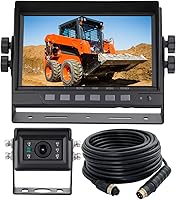
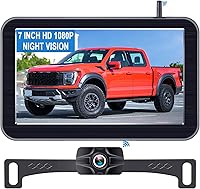
ATPTK 7-Inch Wired AHD Backup Camera System
 Best for a broad view with AHD support
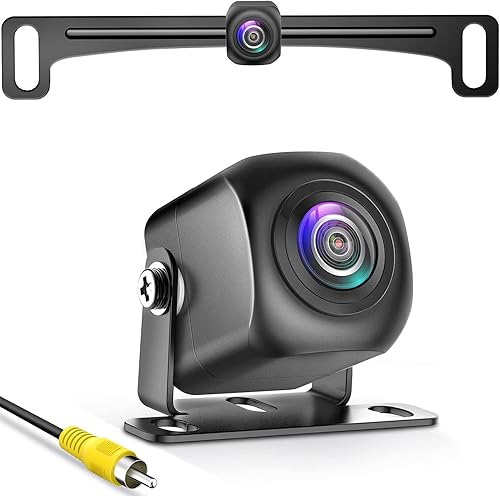
Pixelman AHD 1080P 170-Degree Backup Camera
AHD vs CVBS backup camera: which signal is clearer?
AHD has the clearer image potential because it supports higher resolution than CVBS. You only get that benefit when the camera outputs AHD and the display can accept it.
CVBS is a standard definition signal. It can still be a useful match for a screen built for CVBS, but switching to an AHD camera won't make that screen show a high definition image.
Resolution is only one part of the picture. The display's resolution, camera sensor, lens, wiring and signal settings also shape what you see while backing up.
Does a higher resolution always mean a better view?
A higher resolution can show more detail on a compatible screen, but it doesn't automatically create a wider view or make obstacles easier to judge. A camera's field of view and mounting angle affect how much of the area behind the vehicle appears.
For example, the Pixelman camera supports AHD output for a compatible display and has a 170-degree field of view. That wide view is a separate feature from its signal format.
If you are trying to fix a soft or washed-out picture, read why a backup camera looks blurry or foggy. A signal mismatch is one possible issue, but lens dirt, moisture or a poor connection can also affect the image.
What has to match between the camera and screen?
The camera's output format must be accepted by the display. Check both ends of the system before buying or changing any wiring.
An RCA connector does not prove that a screen accepts AHD. RCA is a connector type, while AHD and CVBS describe video signals.
Some cameras offer more than one output format. Pixelman's camera defaults to HD and can be switched to AHD 1080P when the screen supports AHD, while the eRapta camera supports both AHD and CVBS.
What if the signal doesn't match?
A mismatch can leave you with no usable picture or an image that doesn't meet your expectations. Start by checking the camera and display manuals for supported formats and setup steps.
Don't assume a vehicle's age tells you its signal type. The eRapta camera guidance notes that many models made before 2012 use CVBS, but the right step is to confirm your own system with the vehicle supplier or screen manual.
If you're diagnosing an existing setup, test the backup camera and its connections before replacing parts. Confirm the screen input, camera output setting and cable connection one at a time.
Which camera setup suits your display?
Choose a camera format your current screen supports, or buy a matched camera and display system. This helps avoid paying for a signal your screen can't use.
For a matched AHD camera and monitor
The ATPTK system combines a 1080P AHD camera with a 7 in monitor. It uses waterproof 4-pin screw connectors, so it's designed as a system rather than a direct RCA camera swap.
Its camera has a 120-degree view, and the monitor accepts 12-24V power and supports up to 2 cameras. The monitor itself is not waterproof, so plan its location inside the vehicle.
For an AHD screen with an RCA input
The Pixelman camera uses an RCA connector and supports AHD output when switched from its default HD setting. Confirm that the exact screen accepts AHD before choosing that mode.
Its 170-degree view may fit buyers who want a broad rear view, but the camera won't work with dash cams or mirror cameras according to its compatibility guidance.
For a display that supports AHD and CVBS
The eRapta camera supports both AHD and CVBS and connects through RCA. Its instructions say to cut the blue wire for CVBS use, so identify the display's signal type before installation.
This is a useful fit when you need a camera that can work with either format. It doesn't remove the need to set the camera to match the screen.
How should you check your signal before installation?
Confirm the display format, camera setting and connector type before routing or cutting wires. A short compatibility check can prevent a mismatch that is difficult to diagnose after installation.
- Find the display or radio model number and check its manual for AHD or CVBS support.
- Confirm the camera can output that format and note any switch, wire or menu setting.
- Match the connector type as a separate check, since RCA and 4-pin connections are not interchangeable by default.
- Test the camera and display together before securing the camera and routing the cable permanently.
If you are connecting the camera to the reverse lights, follow the vehicle and camera instructions. The guide on hooking up a backup camera to reverse lights covers that power connection.
AHD vs CVBS: which should you choose?
Pick AHD when both camera and display support it and you want higher resolution output; pick CVBS when it matches your existing screen. If you haven't confirmed the display format, choose only after checking its manual or asking the supplier.
For a full system with a matched AHD monitor, the ATPTK kit keeps the camera and screen together. For an RCA screen that supports AHD, the Pixelman camera offers switchable output, while the eRapta camera supports both AHD and CVBS.
When a screen's format is uncertain, verify it first. Then use our camera setup and fixes guide for help narrowing down installation and image problems.
Frequently asked questions
Is AHD clearer than CVBS?
AHD can provide a higher resolution image than standard definition CVBS when both the camera and display support the same AHD format. The screen, cable, camera and settings all affect the result, so an AHD label alone doesn't guarantee a sharper picture in your vehicle.
Can an AHD camera work with a CVBS monitor?
Only if that camera can switch to CVBS and the monitor accepts its output. Some cameras support more than one signal type, while others need a matching AHD display.
Check the camera's signal options and the monitor's input format before connecting them.
What does CVBS mean on a backup camera?
CVBS is a standard definition composite video signal used by many older screens and vehicle systems. It commonly travels over an RCA video connection, but the plug alone doesn't confirm the signal format.
Check the display's manual or ask the vehicle supplier.
How do I know which signal my screen supports?
Check the screen or vehicle manual for AHD and CVBS support, including any specific resolution limits. If the manual is unclear, ask the vehicle or screen supplier using the model number.
Don't rely only on the age of the vehicle or the shape of the video connector.
Can I use an AHD camera with an RCA screen?
Possibly, if the RCA screen supports the camera's signal format. RCA describes the connector, not whether the display accepts AHD or CVBS.
Confirm both the signal and connector requirements, then use a camera setting that matches the screen.